Zabbix is an
open source network monitoring software designed to monitor and track the
status of various network devices, servers, and virtual machines
Update the system using below command
# yum update
Install required packages
# yum install
mariadb-server httpd -y
# yum install php php-cli php-common php-devel php-pear php-gd
php-mbstring php-mysql php-xml php-bcmath

# systemctl start httpd
Install Repository with MySQL database
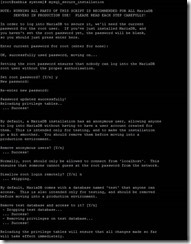
# mysql_secure_installation


Install yum repository to install
Zabbix
CentOS/RHEL 7:
After
adding Zabbix apt repository in your system use following command to install
Zabbix server.
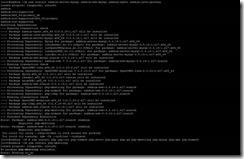
# yum install zabbix-server-mysql zabbix-web-mysql
zabbix-agent zabbix-java-gateway
Create initial database schema
# mysql -u root -p
mysql> create database zabbix character set utf8 collate
utf8_bin;
mysql> grant all privileges on zabbix.* to zabbix@localhost
identified by 'Password';
FLUSH PRIVILEGES;
mysql> quit;
Import initial schema and data. You
will be prompted to enter your newly created password.
# zcat /usr/share/doc/zabbix-server-mysql*/create.sql.gz |
mysql –u zabbix -p zabbix
Configure the database for Zabbix
server
Edit file /etc/zabbix/zabbix_server.conf
Update
the following database configurations. This will be used by Zabbix server to
connect to the database.
DBHost=localhost
DBName=zabbix
DBUser=zabbix
DBPassword=password
Configure PHP for Zabbix frontend
Edit file /etc/httpd/conf.d/zabbix.conf, uncomment and set the right
timezone for you.
# php_value date.timezone Asia/Kolkata
Start Zabbix server and agent
processes and make it start at system boot:
#
systemctl start zabbix-server zabbix-agent httpd mariadb
#
systemctl enable zabbix-server zabbix-agent httpd mariadb
Now your Zabbix server is up and
running!
Configure Zabbix frontend
Connect to your newly installed Zabbix frontend: http://server_ip_or_name/zabbix
Follow steps described in Zabbix documentation: Installing frontend
Start using Zabbix

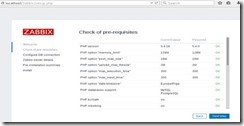
Check for
pre-requisites
Check if you meet all the system requirements. If not configure your
php.ini.

Configure
DB Connection
Fill your DB details which you created and click
on Next Step

Zabbix
server details
This is the host and
port of running Zabbix server. As your Zabbix server is running on the same
host, so keep the values unchanged. You can give a name for your instance.

Pre-Installation
Summary
This will
give you a summary of your configuration. Click on Next Step
Install
Zabbix
Click on
Finish button to install Zabbix server

Install
Zabbix
You will see a
successful installation message on this page. This will also show you a message
for the created configuration file.

Login to
Zabbix
Login to Zabbix with following credentials
UserName : Admin
Password : Zabbix