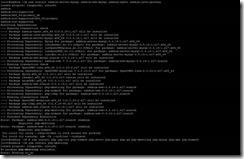
[root@localhost ~]# yum install -y mariadb*
Loaded plugins: langpacks, ulninfo
Resolving Dependencies
--> Running transaction check
---> Package mariadb.x86_64 1:5.5.60-1.el7_5 will be installed
---> Package mariadb-bench.x86_64 1:5.5.60-1.el7_5 will be installed
---> Package mariadb-devel.x86_64 1:5.5.60-1.el7_5 will be installed
--> Processing Dependency: openssl-devel(x86-64) for package: 1:mariadb-devel-5. 5.60-1.el7_5.x86_64
---> Package mariadb-libs.x86_64 1:5.5.60-1.el7_5 will be installed
---> Package mariadb-server.x86_64 1:5.5.60-1.el7_5 will be installed
--> Processing Dependency: perl-DBD-MySQL for package: 1:mariadb-server-5.5.60-1 .el7_5.x86_64
---> Package mariadb-test.x86_64 1:5.5.60-1.el7_5 will be installed
--> Processing Dependency: perl(Test::More) for package: 1:mariadb-test-5.5.60-1 .el7_5.x86_64
--> Processing Dependency: perl(Env) for package: 1:mariadb-test-5.5.60-1.el7_5. x86_64
--> Running transaction check
---> Package openssl-devel.x86_64 1:1.0.2k-16.0.1.el7 will be installed
--> Processing Dependency: zlib-devel(x86-64) for package: 1:openssl-devel-1.0.2 k-16.0.1.el7.x86_64
--> Processing Dependency: krb5-devel(x86-64) for package: 1:openssl-devel-1.0.2 k-16.0.1.el7.x86_64
---> Package perl-DBD-MySQL.x86_64 0:4.023-6.0.1.el7 will be installed
---> Package perl-Env.noarch 0:1.04-2.el7 will be installed
---> Package perl-Test-Simple.noarch 0:0.98-243.el7 will be installed
--> Running transaction check
---> Package krb5-devel.x86_64 0:1.15.1-34.el7 will be installed
--> Processing Dependency: libkadm5(x86-64) = 1.15.1-34.el7 for package: krb5-de vel-1.15.1-34.el7.x86_64
--> Processing Dependency: libverto-devel for package: krb5-devel-1.15.1-34.el7. x86_64
--> Processing Dependency: libselinux-devel for package: krb5-devel-1.15.1-34.el 7.x86_64
--> Processing Dependency: libcom_err-devel for package: krb5-devel-1.15.1-34.el 7.x86_64
--> Processing Dependency: keyutils-libs-devel for package: krb5-devel-1.15.1-34 .el7.x86_64
---> Package zlib-devel.x86_64 0:1.2.7-18.el7 will be installed
--> Running transaction check
---> Package keyutils-libs-devel.x86_64 0:1.5.8-3.el7 will be installed
---> Package libcom_err-devel.x86_64 0:1.42.9-13.el7 will be installed
---> Package libkadm5.x86_64 0:1.15.1-34.el7 will be installed
---> Package libselinux-devel.x86_64 0:2.5-14.1.el7 will be installed
--> Processing Dependency: libsepol-devel(x86-64) >= 2.5-10 for package: libseli nux-devel-2.5-14.1.el7.x86_64
--> Processing Dependency: pkgconfig(libsepol) for package: libselinux-devel-2.5 -14.1.el7.x86_64
---> Package libverto-devel.x86_64 0:0.2.5-4.el7 will be installed
--> Running transaction check
---> Package libsepol-devel.x86_64 0:2.5-10.el7 will be installed
Removing mariadb-libs.x86_64 1:5.5.60-1.el7_5 - u due to obsoletes from installe d mysql-community-libs-5.7.19-1.el7.x86_64
--> Restarting Dependency Resolution with new changes.
--> Running transaction check
---> Package mariadb-libs.x86_64 1:5.5.60-1.el7_5 will be installed
--> Processing Dependency: mariadb-libs(x86-64) = 1:5.5.60-1.el7_5 for package: 1:mariadb-server-5.5.60-1.el7_5.x86_64
--> Processing Dependency: mariadb-libs(x86-64) = 1:5.5.60-1.el7_5 for package: 1:mariadb-devel-5.5.60-1.el7_5.x86_64
--> Processing Dependency: mariadb-libs(x86-64) = 1:5.5.60-1.el7_5 for package: 1:mariadb-5.5.60-1.el7_5.x86_64
--> Processing Dependency: mariadb-libs(x86-64) = 1:5.5.60-1.el7_5 for package: 1:mariadb-test-5.5.60-1.el7_5.x86_64
--> Processing Dependency: mariadb-libs(x86-64) = 1:5.5.60-1.el7_5 for package: 1:mariadb-test-5.5.60-1.el7_5.x86_64
--> Processing Dependency: mariadb-libs(x86-64) = 1:5.5.60-1.el7_5 for package: 1:mariadb-server-5.5.60-1.el7_5.x86_64
--> Processing Dependency: mariadb-libs(x86-64) = 1:5.5.60-1.el7_5 for package: 1:mariadb-5.5.60-1.el7_5.x86_64
--> Processing Dependency: mariadb-libs(x86-64) = 1:5.5.60-1.el7_5 for package: 1:mariadb-devel-5.5.60-1.el7_5.x86_64
--> Running transaction check
---> Package mariadb-libs.x86_64 1:5.5.60-1.el7_5 will be installed
Removing mariadb-libs.x86_64 1:5.5.60-1.el7_5 - u due to obsoletes from installe d mysql-community-libs-5.7.19-1.el7.x86_64
--> Restarting Dependency Resolution with new changes.
--> Running transaction check
---> Package mariadb-libs.x86_64 1:5.5.60-1.el7_5 will be installed
--> Processing Dependency: mariadb-libs(x86-64) = 1:5.5.60-1.el7_5 for package: 1:mariadb-server-5.5.60-1.el7_5.x86_64
--> Processing Dependency: mariadb-libs(x86-64) = 1:5.5.60-1.el7_5 for package: 1:mariadb-devel-5.5.60-1.el7_5.x86_64
--> Processing Dependency: mariadb-libs(x86-64) = 1:5.5.60-1.el7_5 for package: 1:mariadb-5.5.60-1.el7_5.x86_64
--> Processing Dependency: mariadb-libs(x86-64) = 1:5.5.60-1.el7_5 for package: 1:mariadb-test-5.5.60-1.el7_5.x86_64
--> Processing Dependency: mariadb-libs(x86-64) = 1:5.5.60-1.el7_5 for package: 1:mariadb-test-5.5.60-1.el7_5.x86_64
--> Processing Dependency: mariadb-libs(x86-64) = 1:5.5.60-1.el7_5 for package: 1:mariadb-server-5.5.60-1.el7_5.x86_64
--> Processing Dependency: mariadb-libs(x86-64) = 1:5.5.60-1.el7_5 for package: 1:mariadb-5.5.60-1.el7_5.x86_64
--> Processing Dependency: mariadb-libs(x86-64) = 1:5.5.60-1.el7_5 for package: 1:mariadb-devel-5.5.60-1.el7_5.x86_64
--> Finished Dependency Resolution
Error: Package: 1:mariadb-server-5.5.60-1.el7_5.x86_64 (Local_ol7_latest)
Requires: mariadb-libs(x86-64) = 1:5.5.60-1.el7_5
Available: 1:mariadb-libs-5.5.35-3.el7.x86_64 (Local_ol7_u0_base)
mariadb-libs(x86-64) = 1:5.5.35-3.el7
Available: 1:mariadb-libs-5.5.52-1.el7.x86_64 (Local_ol7_latest)
mariadb-libs(x86-64) = 1:5.5.52-1.el7
Available: 1:mariadb-libs-5.5.56-2.el7.x86_64 (Local_ol7_latest)
mariadb-libs(x86-64) = 1:5.5.56-2.el7
Available: 1:mariadb-libs-5.5.60-1.el7_5.i686 (Local_ol7_latest)
~mariadb-libs(x86-32) = 1:5.5.60-1.el7_5
Error: Package: 1:mariadb-test-5.5.60-1.el7_5.x86_64 (Local_ol7_latest)
Requires: mariadb-libs(x86-64) = 1:5.5.60-1.el7_5
Available: 1:mariadb-libs-5.5.35-3.el7.x86_64 (Local_ol7_u0_base)
mariadb-libs(x86-64) = 1:5.5.35-3.el7
Available: 1:mariadb-libs-5.5.52-1.el7.x86_64 (Local_ol7_latest)
mariadb-libs(x86-64) = 1:5.5.52-1.el7
Available: 1:mariadb-libs-5.5.56-2.el7.x86_64 (Local_ol7_latest)
mariadb-libs(x86-64) = 1:5.5.56-2.el7
Available: 1:mariadb-libs-5.5.60-1.el7_5.i686 (Local_ol7_latest)
~mariadb-libs(x86-32) = 1:5.5.60-1.el7_5
Error: Package: 1:mariadb-5.5.60-1.el7_5.x86_64 (Local_ol7_latest)
Requires: mariadb-libs(x86-64) = 1:5.5.60-1.el7_5
Available: 1:mariadb-libs-5.5.35-3.el7.x86_64 (Local_ol7_u0_base)
mariadb-libs(x86-64) = 1:5.5.35-3.el7
Available: 1:mariadb-libs-5.5.52-1.el7.x86_64 (Local_ol7_latest)
mariadb-libs(x86-64) = 1:5.5.52-1.el7
Available: 1:mariadb-libs-5.5.56-2.el7.x86_64 (Local_ol7_latest)
mariadb-libs(x86-64) = 1:5.5.56-2.el7
Available: 1:mariadb-libs-5.5.60-1.el7_5.i686 (Local_ol7_latest)
~mariadb-libs(x86-32) = 1:5.5.60-1.el7_5
Error: Package: 1:mariadb-server-5.5.60-1.el7_5.x86_64 (ol7_latest)
Requires: mariadb-libs(x86-64) = 1:5.5.60-1.el7_5
Available: 1:mariadb-libs-5.5.35-3.el7.x86_64 (Local_ol7_u0_base)
mariadb-libs(x86-64) = 1:5.5.35-3.el7
Available: 1:mariadb-libs-5.5.52-1.el7.x86_64 (Local_ol7_latest)
mariadb-libs(x86-64) = 1:5.5.52-1.el7
Available: 1:mariadb-libs-5.5.56-2.el7.x86_64 (Local_ol7_latest)
mariadb-libs(x86-64) = 1:5.5.56-2.el7
Available: 1:mariadb-libs-5.5.60-1.el7_5.i686 (Local_ol7_latest)
~mariadb-libs(x86-32) = 1:5.5.60-1.el7_5
Error: Package: 1:mariadb-test-5.5.60-1.el7_5.x86_64 (ol7_latest)
Requires: mariadb-libs(x86-64) = 1:5.5.60-1.el7_5
Available: 1:mariadb-libs-5.5.35-3.el7.x86_64 (Local_ol7_u0_base)
mariadb-libs(x86-64) = 1:5.5.35-3.el7
Available: 1:mariadb-libs-5.5.52-1.el7.x86_64 (Local_ol7_latest)
mariadb-libs(x86-64) = 1:5.5.52-1.el7
Available: 1:mariadb-libs-5.5.56-2.el7.x86_64 (Local_ol7_latest)
mariadb-libs(x86-64) = 1:5.5.56-2.el7
Available: 1:mariadb-libs-5.5.60-1.el7_5.i686 (Local_ol7_latest)
~mariadb-libs(x86-32) = 1:5.5.60-1.el7_5
Error: Package: 1:mariadb-5.5.60-1.el7_5.x86_64 (ol7_latest)
Requires: mariadb-libs(x86-64) = 1:5.5.60-1.el7_5
Available: 1:mariadb-libs-5.5.35-3.el7.x86_64 (Local_ol7_u0_base)
mariadb-libs(x86-64) = 1:5.5.35-3.el7
Available: 1:mariadb-libs-5.5.52-1.el7.x86_64 (Local_ol7_latest)
mariadb-libs(x86-64) = 1:5.5.52-1.el7
Available: 1:mariadb-libs-5.5.56-2.el7.x86_64 (Local_ol7_latest)
mariadb-libs(x86-64) = 1:5.5.56-2.el7
Available: 1:mariadb-libs-5.5.60-1.el7_5.i686 (Local_ol7_latest)
~mariadb-libs(x86-32) = 1:5.5.60-1.el7_5
Error: Package: 1:mariadb-devel-5.5.60-1.el7_5.x86_64 (ol7_latest)
Requires: mariadb-libs(x86-64) = 1:5.5.60-1.el7_5
Available: 1:mariadb-libs-5.5.35-3.el7.x86_64 (Local_ol7_u0_base)
mariadb-libs(x86-64) = 1:5.5.35-3.el7
Available: 1:mariadb-libs-5.5.52-1.el7.x86_64 (Local_ol7_latest)
mariadb-libs(x86-64) = 1:5.5.52-1.el7
Available: 1:mariadb-libs-5.5.56-2.el7.x86_64 (Local_ol7_latest)
mariadb-libs(x86-64) = 1:5.5.56-2.el7
Available: 1:mariadb-libs-5.5.60-1.el7_5.i686 (Local_ol7_latest)
~mariadb-libs(x86-32) = 1:5.5.60-1.el7_5
Error: Package: 1:mariadb-devel-5.5.60-1.el7_5.x86_64 (Local_ol7_latest)
Requires: mariadb-libs(x86-64) = 1:5.5.60-1.el7_5
Available: 1:mariadb-libs-5.5.35-3.el7.x86_64 (Local_ol7_u0_base)
mariadb-libs(x86-64) = 1:5.5.35-3.el7
Available: 1:mariadb-libs-5.5.52-1.el7.x86_64 (Local_ol7_latest)
mariadb-libs(x86-64) = 1:5.5.52-1.el7
Available: 1:mariadb-libs-5.5.56-2.el7.x86_64 (Local_ol7_latest)
mariadb-libs(x86-64) = 1:5.5.56-2.el7
Available: 1:mariadb-libs-5.5.60-1.el7_5.i686 (Local_ol7_latest)
~mariadb-libs(x86-32) = 1:5.5.60-1.el7_5
You could try using --skip-broken to work around the problem
You could try running: rpm -Va --nofiles --nodigest
[root@localhost ~]#
[root@localhost ~]# yum install mariadb-libs
Loaded plugins: langpacks, ulninfo
Resolving Dependencies
--> Running transaction check
---> Package mariadb-libs.x86_64 1:5.5.60-1.el7_5 will be installed
Removing mariadb-libs.x86_64 1:5.5.60-1.el7_5 - u due to obsoletes from installe d mysql-community-libs-5.7.19-1.el7.x86_64
--> Restarting Dependency Resolution with new changes.
--> Running transaction check
---> Package mariadb-libs.x86_64 1:5.5.60-1.el7_5 will be installed
--> Finished Dependency Resolution
[root@localhost ~]#
[root@localhost ~]# yum remove mysql-community-libs
Loaded plugins: langpacks, ulninfo
Resolving Dependencies
--> Running transaction check
---> Package mysql-community-libs.x86_64 0:5.7.19-1.el7 will be erased
--> Processing Dependency: mysql-community-libs(x86-64) >= 5.7.9 for package: mysql-community-libs-compat-5.7.19-1.el7.x86_64
--> Running transaction check
---> Package mysql-community-libs-compat.x86_64 0:5.7.19-1.el7 will be erased
--> Processing Dependency: libmysqlclient.so.18()(64bit) for package: php-mysql-5.4.45-17.el7.remi.x86_64
--> Processing Dependency: libmysqlclient.so.18()(64bit) for package: 2:postfix-2.10.1-7.el7.x86_64
--> Processing Dependency: libmysqlclient.so.18()(64bit) for package: zabbix-server-mysql-4.0.3-1.el7.x86_64
--> Processing Dependency: libmysqlclient.so.18(libmysqlclient_18)(64bit) for package: php-mysql-5.4.45-17.el7.remi.x86_64
--> Processing Dependency: libmysqlclient.so.18(libmysqlclient_18)(64bit) for package: 2:postfix-2.10.1-7.el7.x86_64
--> Processing Dependency: libmysqlclient.so.18(libmysqlclient_18)(64bit) for package: zabbix-server-mysql-4.0.3-1.el7.x86_64
--> Running transaction check
---> Package php-mysql.x86_64 0:5.4.45-17.el7.remi will be erased
--> Processing Dependency: php-mysql for package: zabbix-web-mysql-4.0.3-1.el7.noarch
---> Package postfix.x86_64 2:2.10.1-7.el7 will be erased
---> Package zabbix-server-mysql.x86_64 0:4.0.3-1.el7 will be erased
--> Running transaction check
---> Package zabbix-web-mysql.noarch 0:4.0.3-1.el7 will be erased
--> Processing Dependency: zabbix-web-database = 4.0.3-1.el7 for package: zabbix-web-4.0.3-1.el7.noarch
--> Running transaction check
---> Package zabbix-web.noarch 0:4.0.3-1.el7 will be erased
--> Finished Dependency Resolution
Dependencies Resolved
=============================================================================================================================================================================================================================================
Package Arch Version Repository Size
=============================================================================================================================================================================================================================================
Removing:
mysql-community-libs x86_64 5.7.19-1.el7 @Server-Mysql/7.4 9.4 M
Removing for dependencies:
mysql-community-libs-compat x86_64 5.7.19-1.el7 @Server-Mysql/7.4 9.2 M
php-mysql x86_64 5.4.45-17.el7.remi @remi-php54 476 k
postfix x86_64 2:2.10.1-7.el7 @Local_ol7_latest 12 M
zabbix-server-mysql x86_64 4.0.3-1.el7 @zabbix 4.9 M
zabbix-web noarch 4.0.3-1.el7 @zabbix 16 M
zabbix-web-mysql noarch 4.0.3-1.el7 @zabbix 0.0
Transaction Summary
=============================================================================================================================================================================================================================================
Remove 1 Package (+6 Dependent packages)
Installed size: 52 M
[root@localhost ~]# yum install -y mariadb*
Loaded plugins: langpacks, ulninfo
Resolving Dependencies
--> Running transaction check
---> Package mariadb.x86_64 1:5.5.60-1.el7_5 will be installed
---> Package mariadb-bench.x86_64 1:5.5.60-1.el7_5 will be installed
---> Package mariadb-devel.x86_64 1:5.5.60-1.el7_5 will be installed
--> Processing Dependency: openssl-devel(x86-64) for package: 1:mariadb-devel-5.5.60-1.el7_5.x86_64
---> Package mariadb-libs.x86_64 1:5.5.60-1.el7_5 will be installed
---> Package mariadb-server.x86_64 1:5.5.60-1.el7_5 will be installed
--> Processing Dependency: perl-DBD-MySQL for package: 1:mariadb-server-5.5.60-1.el7_5.x86_64
---> Package mariadb-test.x86_64 1:5.5.60-1.el7_5 will be installed
--> Processing Dependency: perl(Test::More) for package: 1:mariadb-test-5.5.60-1.el7_5.x86_64
--> Processing Dependency: perl(Env) for package: 1:mariadb-test-5.5.60-1.el7_5.x86_64
--> Running transaction check
---> Package openssl-devel.x86_64 1:1.0.2k-16.0.1.el7 will be installed
--> Processing Dependency: zlib-devel(x86-64) for package: 1:openssl-devel-1.0.2k-16.0.1.el7.x86_64
--> Processing Dependency: krb5-devel(x86-64) for package: 1:openssl-devel-1.0.2k-16.0.1.el7.x86_64
---> Package perl-DBD-MySQL.x86_64 0:4.023-6.0.1.el7 will be installed
---> Package perl-Env.noarch 0:1.04-2.el7 will be installed
---> Package perl-Test-Simple.noarch 0:0.98-243.el7 will be installed
--> Running transaction check
---> Package krb5-devel.x86_64 0:1.15.1-34.el7 will be installed
--> Processing Dependency: libkadm5(x86-64) = 1.15.1-34.el7 for package: krb5-devel-1.15.1-34.el7.x86_64
--> Processing Dependency: libverto-devel for package: krb5-devel-1.15.1-34.el7.x86_64
--> Processing Dependency: libselinux-devel for package: krb5-devel-1.15.1-34.el7.x86_64
--> Processing Dependency: libcom_err-devel for package: krb5-devel-1.15.1-34.el7.x86_64
--> Processing Dependency: keyutils-libs-devel for package: krb5-devel-1.15.1-34.el7.x86_64
---> Package zlib-devel.x86_64 0:1.2.7-18.el7 will be installed
--> Running transaction check
---> Package keyutils-libs-devel.x86_64 0:1.5.8-3.el7 will be installed
---> Package libcom_err-devel.x86_64 0:1.42.9-13.el7 will be installed
---> Package libkadm5.x86_64 0:1.15.1-34.el7 will be installed
---> Package libselinux-devel.x86_64 0:2.5-14.1.el7 will be installed
--> Processing Dependency: libsepol-devel(x86-64) >= 2.5-10 for package: libselinux-devel-2.5-14.1.el7.x86_64
--> Processing Dependency: pkgconfig(libsepol) for package: libselinux-devel-2.5-14.1.el7.x86_64
---> Package libverto-devel.x86_64 0:0.2.5-4.el7 will be installed
--> Running transaction check
---> Package libsepol-devel.x86_64 0:2.5-10.el7 will be installed
--> Finished Dependency Resolution
Dependencies Resolved
=============================================================================================================================================================================================================================================
Package Arch Version Repository Size
=============================================================================================================================================================================================================================================
Installing:
mariadb x86_64 1:5.5.60-1.el7_5 Local_ol7_latest 8.9 M
mariadb-bench x86_64 1:5.5.60-1.el7_5 Local_ol7_latest 387 k
mariadb-devel x86_64 1:5.5.60-1.el7_5 Local_ol7_latest 754 k
mariadb-libs x86_64 1:5.5.60-1.el7_5 Local_ol7_latest 758 k
mariadb-server x86_64 1:5.5.60-1.el7_5 Local_ol7_latest 11 M
mariadb-test x86_64 1:5.5.60-1.el7_5 Local_ol7_latest 8.1 M
Installing for dependencies:
keyutils-libs-devel x86_64 1.5.8-3.el7 Local_ol7_latest 37 k
krb5-devel x86_64 1.15.1-34.el7 Local_ol7_latest 271 k
libcom_err-devel x86_64 1.42.9-13.el7 Local_ol7_latest 31 k
libkadm5 x86_64 1.15.1-34.el7 Local_ol7_latest 177 k
libselinux-devel x86_64 2.5-14.1.el7 Local_ol7_latest 186 k
libsepol-devel x86_64 2.5-10.el7 Local_ol7_latest 76 k
libverto-devel x86_64 0.2.5-4.el7 Local_ol7_latest 11 k
openssl-devel x86_64 1:1.0.2k-16.0.1.el7 Local_ol7_latest 1.5 M
perl-DBD-MySQL x86_64 4.023-6.0.1.el7 Local_ol7_latest 140 k
perl-Env noarch 1.04-2.el7 Local_ol7_latest 15 k
perl-Test-Simple noarch 0.98-243.el7 Local_ol7_latest 169 k
zlib-devel x86_64 1.2.7-18.el7 Local_ol7_latest 49 k
Transaction Summary
=============================================================================================================================================================================================================================================
Install 6 Packages (+12 Dependent packages)
Total download size: 32 M
Installed size: 247 M
Downloading packages:
(1/18): keyutils-libs-devel-1.5.8-3.el7.x86_64.rpm | 37 kB 00:00:00
(2/18): krb5-devel-1.15.1-34.el7.x86_64.rpm | 271 kB 00:00:00
(3/18): libcom_err-devel-1.42.9-13.el7.x86_64.rpm | 31 kB 00:00:00
(4/18): libkadm5-1.15.1-34.el7.x86_64.rpm | 177 kB 00:00:00
(5/18): libselinux-devel-2.5-14.1.el7.x86_64.rpm | 186 kB 00:00:00
(6/18): libsepol-devel-2.5-10.el7.x86_64.rpm | 76 kB 00:00:00
(7/18): libverto-devel-0.2.5-4.el7.x86_64.rpm | 11 kB 00:00:00
(8/18): mariadb-bench-5.5.60-1.el7_5.x86_64.rpm | 387 kB 00:00:00
(9/18): mariadb-devel-5.5.60-1.el7_5.x86_64.rpm | 754 kB 00:00:00
(10/18): mariadb-libs-5.5.60-1.el7_5.x86_64.rpm | 758 kB 00:00:00
(11/18): mariadb-5.5.60-1.el7_5.x86_64.rpm | 8.9 MB 00:00:00
(12/18): mariadb-server-5.5.60-1.el7_5.x86_64.rpm | 11 MB 00:00:00
(13/18): openssl-devel-1.0.2k-16.0.1.el7.x86_64.rpm | 1.5 MB 00:00:00
(14/18): perl-DBD-MySQL-4.023-6.0.1.el7.x86_64.rpm | 140 kB 00:00:00
(15/18): mariadb-test-5.5.60-1.el7_5.x86_64.rpm | 8.1 MB 00:00:00
(16/18): perl-Env-1.04-2.el7.noarch.rpm | 15 kB 00:00:00
(17/18): perl-Test-Simple-0.98-243.el7.noarch.rpm | 169 kB 00:00:00
(18/18): zlib-devel-1.2.7-18.el7.x86_64.rpm | 49 kB 00:00:00
---------------------------------------------------------------------------------------------------------------------------------------------------------------------------------------------------------------------------------------------
Total 43 MB/s | 32 MB 00:00:00
Running transaction check
Running transaction test
Transaction check error:
file /usr/share/mysql/charsets/Index.xml from install of mariadb-libs-1:5.5.60-1.el7_5.x86_64 conflicts with file from package mysql-community-common-5.7.19-1.el7.x86_64
file /usr/share/mysql/charsets/armscii8.xml from install of mariadb-libs-1:5.5.60-1.el7_5.x86_64 conflicts with file from package mysql-community-common-5.7.19-1.el7.x86_64
file /usr/share/mysql/charsets/ascii.xml from install of mariadb-libs-1:5.5.60-1.el7_5.x86_64 conflicts with file from package mysql-community-common-5.7.19-1.el7.x86_64
file /usr/share/mysql/charsets/cp1250.xml from install of mariadb-libs-1:5.5.60-1.el7_5.x86_64 conflicts with file from package mysql-community-common-5.7.19-1.el7.x86_64
file /usr/share/mysql/charsets/cp1256.xml from install of mariadb-libs-1:5.5.60-1.el7_5.x86_64 conflicts with file from package mysql-community-common-5.7.19-1.el7.x86_64
file /usr/share/mysql/charsets/cp1257.xml from install of mariadb-libs-1:5.5.60-1.el7_5.x86_64 conflicts with file from package mysql-community-common-5.7.19-1.el7.x86_64
file /usr/share/mysql/charsets/cp850.xml from install of mariadb-libs-1:5.5.60-1.el7_5.x86_64 conflicts with file from package mysql-community-common-5.7.19-1.el7.x86_64
file /usr/share/mysql/charsets/cp852.xml from install of mariadb-libs-1:5.5.60-1.el7_5.x86_64 conflicts with file from package mysql-community-common-5.7.19-1.el7.x86_64
file /usr/share/mysql/charsets/cp866.xml from install of mariadb-libs-1:5.5.60-1.el7_5.x86_64 conflicts with file from package mysql-community-common-5.7.19-1.el7.x86_64
file /usr/share/mysql/charsets/dec8.xml from install of mariadb-libs-1:5.5.60-1.el7_5.x86_64 conflicts with file from package mysql-community-common-5.7.19-1.el7.x86_64
file /usr/share/mysql/charsets/geostd8.xml from install of mariadb-libs-1:5.5.60-1.el7_5.x86_64 conflicts with file from package mysql-community-common-5.7.19-1.el7.x86_64
file /usr/share/mysql/charsets/greek.xml from install of mariadb-libs-1:5.5.60-1.el7_5.x86_64 conflicts with file from package mysql-community-common-5.7.19-1.el7.x86_64
file /usr/share/mysql/charsets/hebrew.xml from install of mariadb-libs-1:5.5.60-1.el7_5.x86_64 conflicts with file from package mysql-community-common-5.7.19-1.el7.x86_64
file /usr/share/mysql/charsets/hp8.xml from install of mariadb-libs-1:5.5.60-1.el7_5.x86_64 conflicts with file from package mysql-community-common-5.7.19-1.el7.x86_64
file /usr/share/mysql/charsets/keybcs2.xml from install of mariadb-libs-1:5.5.60-1.el7_5.x86_64 conflicts with file from package mysql-community-common-5.7.19-1.el7.x86_64
file /usr/share/mysql/charsets/koi8r.xml from install of mariadb-libs-1:5.5.60-1.el7_5.x86_64 conflicts with file from package mysql-community-common-5.7.19-1.el7.x86_64
file /usr/share/mysql/charsets/koi8u.xml from install of mariadb-libs-1:5.5.60-1.el7_5.x86_64 conflicts with file from package mysql-community-common-5.7.19-1.el7.x86_64
file /usr/share/mysql/charsets/latin1.xml from install of mariadb-libs-1:5.5.60-1.el7_5.x86_64 conflicts with file from package mysql-community-common-5.7.19-1.el7.x86_64
file /usr/share/mysql/charsets/latin2.xml from install of mariadb-libs-1:5.5.60-1.el7_5.x86_64 conflicts with file from package mysql-community-common-5.7.19-1.el7.x86_64
file /usr/share/mysql/charsets/latin5.xml from install of mariadb-libs-1:5.5.60-1.el7_5.x86_64 conflicts with file from package mysql-community-common-5.7.19-1.el7.x86_64
file /usr/share/mysql/charsets/latin7.xml from install of mariadb-libs-1:5.5.60-1.el7_5.x86_64 conflicts with file from package mysql-community-common-5.7.19-1.el7.x86_64
file /usr/share/mysql/charsets/macce.xml from install of mariadb-libs-1:5.5.60-1.el7_5.x86_64 conflicts with file from package mysql-community-common-5.7.19-1.el7.x86_64
file /usr/share/mysql/charsets/macroman.xml from install of mariadb-libs-1:5.5.60-1.el7_5.x86_64 conflicts with file from package mysql-community-common-5.7.19-1.el7.x86_64
file /usr/share/mysql/charsets/swe7.xml from install of mariadb-libs-1:5.5.60-1.el7_5.x86_64 conflicts with file from package mysql-community-common-5.7.19-1.el7.x86_64
file /usr/share/mysql/czech/errmsg.sys from install of mariadb-libs-1:5.5.60-1.el7_5.x86_64 conflicts with file from package mysql-community-common-5.7.19-1.el7.x86_64
file /usr/share/mysql/danish/errmsg.sys from install of mariadb-libs-1:5.5.60-1.el7_5.x86_64 conflicts with file from package mysql-community-common-5.7.19-1.el7.x86_64
file /usr/share/mysql/dutch/errmsg.sys from install of mariadb-libs-1:5.5.60-1.el7_5.x86_64 conflicts with file from package mysql-community-common-5.7.19-1.el7.x86_64
file /usr/share/mysql/english/errmsg.sys from install of mariadb-libs-1:5.5.60-1.el7_5.x86_64 conflicts with file from package mysql-community-common-5.7.19-1.el7.x86_64
file /usr/share/mysql/estonian/errmsg.sys from install of mariadb-libs-1:5.5.60-1.el7_5.x86_64 conflicts with file from package mysql-community-common-5.7.19-1.el7.x86_64
file /usr/share/mysql/french/errmsg.sys from install of mariadb-libs-1:5.5.60-1.el7_5.x86_64 conflicts with file from package mysql-community-common-5.7.19-1.el7.x86_64
file /usr/share/mysql/german/errmsg.sys from install of mariadb-libs-1:5.5.60-1.el7_5.x86_64 conflicts with file from package mysql-community-common-5.7.19-1.el7.x86_64
file /usr/share/mysql/greek/errmsg.sys from install of mariadb-libs-1:5.5.60-1.el7_5.x86_64 conflicts with file from package mysql-community-common-5.7.19-1.el7.x86_64
file /usr/share/mysql/hungarian/errmsg.sys from install of mariadb-libs-1:5.5.60-1.el7_5.x86_64 conflicts with file from package mysql-community-common-5.7.19-1.el7.x86_64
file /usr/share/mysql/italian/errmsg.sys from install of mariadb-libs-1:5.5.60-1.el7_5.x86_64 conflicts with file from package mysql-community-common-5.7.19-1.el7.x86_64
file /usr/share/mysql/japanese/errmsg.sys from install of mariadb-libs-1:5.5.60-1.el7_5.x86_64 conflicts with file from package mysql-community-common-5.7.19-1.el7.x86_64
file /usr/share/mysql/korean/errmsg.sys from install of mariadb-libs-1:5.5.60-1.el7_5.x86_64 conflicts with file from package mysql-community-common-5.7.19-1.el7.x86_64
file /usr/share/mysql/norwegian-ny/errmsg.sys from install of mariadb-libs-1:5.5.60-1.el7_5.x86_64 conflicts with file from package mysql-community-common-5.7.19-1.el7.x86_64
file /usr/share/mysql/norwegian/errmsg.sys from install of mariadb-libs-1:5.5.60-1.el7_5.x86_64 conflicts with file from package mysql-community-common-5.7.19-1.el7.x86_64
file /usr/share/mysql/polish/errmsg.sys from install of mariadb-libs-1:5.5.60-1.el7_5.x86_64 conflicts with file from package mysql-community-common-5.7.19-1.el7.x86_64
file /usr/share/mysql/portuguese/errmsg.sys from install of mariadb-libs-1:5.5.60-1.el7_5.x86_64 conflicts with file from package mysql-community-common-5.7.19-1.el7.x86_64
file /usr/share/mysql/romanian/errmsg.sys from install of mariadb-libs-1:5.5.60-1.el7_5.x86_64 conflicts with file from package mysql-community-common-5.7.19-1.el7.x86_64
file /usr/share/mysql/russian/errmsg.sys from install of mariadb-libs-1:5.5.60-1.el7_5.x86_64 conflicts with file from package mysql-community-common-5.7.19-1.el7.x86_64
file /usr/share/mysql/serbian/errmsg.sys from install of mariadb-libs-1:5.5.60-1.el7_5.x86_64 conflicts with file from package mysql-community-common-5.7.19-1.el7.x86_64
file /usr/share/mysql/slovak/errmsg.sys from install of mariadb-libs-1:5.5.60-1.el7_5.x86_64 conflicts with file from package mysql-community-common-5.7.19-1.el7.x86_64
file /usr/share/mysql/spanish/errmsg.sys from install of mariadb-libs-1:5.5.60-1.el7_5.x86_64 conflicts with file from package mysql-community-common-5.7.19-1.el7.x86_64
file /usr/share/mysql/swedish/errmsg.sys from install of mariadb-libs-1:5.5.60-1.el7_5.x86_64 conflicts with file from package mysql-community-common-5.7.19-1.el7.x86_64
file /usr/share/mysql/ukrainian/errmsg.sys from install of mariadb-libs-1:5.5.60-1.el7_5.x86_64 conflicts with file from package mysql-community-common-5.7.19-1.el7.x86_64
file /usr/share/mysql/errmsg-utf8.txt from install of mariadb-server-1:5.5.60-1.el7_5.x86_64 conflicts with file from package mysql-community-common-5.7.19-1.el7.x86_64
Error Summary
-------------
[root@localhost ~]# yum remove mysql-community-common
Loaded plugins: langpacks, ulninfo
Resolving Dependencies
--> Running transaction check
---> Package mysql-community-common.x86_64 0:5.7.19-1.el7 will be erased
--> Finished Dependency Resolution
Dependencies Resolved
=============================================================================================================================================================================================================================================
Package Arch Version Repository Size
=============================================================================================================================================================================================================================================
Removing:
mysql-community-common x86_64 5.7.19-1.el7 @Server-Mysql/7.4 2.5 M
Transaction Summary
=============================================================================================================================================================================================================================================
Remove 1 Package
Installed size: 2.5 M
Is this ok [y/N]: y
Downloading packages:
Running transaction check
Running transaction test
Transaction test succeeded
Running transaction
Erasing : mysql-community-common-5.7.19-1.el7.x86_64 1/1
Verifying : mysql-community-common-5.7.19-1.el7.x86_64 1/1
Removed:
mysql-community-common.x86_64 0:5.7.19-1.el7
Complete!
[root@localhost ~]# yum install -y mariadb*
Loaded plugins: langpacks, ulninfo
Resolving Dependencies
--> Running transaction check
---> Package mariadb.x86_64 1:5.5.60-1.el7_5 will be installed
---> Package mariadb-bench.x86_64 1:5.5.60-1.el7_5 will be installed
---> Package mariadb-devel.x86_64 1:5.5.60-1.el7_5 will be installed
--> Processing Dependency: openssl-devel(x86-64) for package: 1:mariadb-devel-5.5.60-1.el7_5.x86_64
---> Package mariadb-libs.x86_64 1:5.5.60-1.el7_5 will be installed
---> Package mariadb-server.x86_64 1:5.5.60-1.el7_5 will be installed
--> Processing Dependency: perl-DBD-MySQL for package: 1:mariadb-server-5.5.60-1.el7_5.x86_64
---> Package mariadb-test.x86_64 1:5.5.60-1.el7_5 will be installed
--> Processing Dependency: perl(Test::More) for package: 1:mariadb-test-5.5.60-1.el7_5.x86_64
--> Processing Dependency: perl(Env) for package: 1:mariadb-test-5.5.60-1.el7_5.x86_64
--> Running transaction check
---> Package openssl-devel.x86_64 1:1.0.2k-16.0.1.el7 will be installed
--> Processing Dependency: zlib-devel(x86-64) for package: 1:openssl-devel-1.0.2k-16.0.1.el7.x86_64
--> Processing Dependency: krb5-devel(x86-64) for package: 1:openssl-devel-1.0.2k-16.0.1.el7.x86_64
---> Package perl-DBD-MySQL.x86_64 0:4.023-6.0.1.el7 will be installed
---> Package perl-Env.noarch 0:1.04-2.el7 will be installed
---> Package perl-Test-Simple.noarch 0:0.98-243.el7 will be installed
--> Running transaction check
---> Package krb5-devel.x86_64 0:1.15.1-34.el7 will be installed
--> Processing Dependency: libkadm5(x86-64) = 1.15.1-34.el7 for package: krb5-devel-1.15.1-34.el7.x86_64
--> Processing Dependency: libverto-devel for package: krb5-devel-1.15.1-34.el7.x86_64
--> Processing Dependency: libselinux-devel for package: krb5-devel-1.15.1-34.el7.x86_64
--> Processing Dependency: libcom_err-devel for package: krb5-devel-1.15.1-34.el7.x86_64
--> Processing Dependency: keyutils-libs-devel for package: krb5-devel-1.15.1-34.el7.x86_64
---> Package zlib-devel.x86_64 0:1.2.7-18.el7 will be installed
--> Running transaction check
---> Package keyutils-libs-devel.x86_64 0:1.5.8-3.el7 will be installed
---> Package libcom_err-devel.x86_64 0:1.42.9-13.el7 will be installed
---> Package libkadm5.x86_64 0:1.15.1-34.el7 will be installed
---> Package libselinux-devel.x86_64 0:2.5-14.1.el7 will be installed
--> Processing Dependency: libsepol-devel(x86-64) >= 2.5-10 for package: libselinux-devel-2.5-14.1.el7.x86_64
--> Processing Dependency: pkgconfig(libsepol) for package: libselinux-devel-2.5-14.1.el7.x86_64
---> Package libverto-devel.x86_64 0:0.2.5-4.el7 will be installed
--> Running transaction check
---> Package libsepol-devel.x86_64 0:2.5-10.el7 will be installed
--> Finished Dependency Resolution
Dependencies Resolved
=============================================================================================================================================================================================================================================
Package Arch Version Repository Size
=============================================================================================================================================================================================================================================
Installing:
mariadb x86_64 1:5.5.60-1.el7_5 Local_ol7_latest 8.9 M
mariadb-bench x86_64 1:5.5.60-1.el7_5 Local_ol7_latest 387 k
mariadb-devel x86_64 1:5.5.60-1.el7_5 Local_ol7_latest 754 k
mariadb-libs x86_64 1:5.5.60-1.el7_5 Local_ol7_latest 758 k
mariadb-server x86_64 1:5.5.60-1.el7_5 Local_ol7_latest 11 M
mariadb-test x86_64 1:5.5.60-1.el7_5 Local_ol7_latest 8.1 M
Installing for dependencies:
keyutils-libs-devel x86_64 1.5.8-3.el7 Local_ol7_latest 37 k
krb5-devel x86_64 1.15.1-34.el7 Local_ol7_latest 271 k
libcom_err-devel x86_64 1.42.9-13.el7 Local_ol7_latest 31 k
libkadm5 x86_64 1.15.1-34.el7 Local_ol7_latest 177 k
libselinux-devel x86_64 2.5-14.1.el7 Local_ol7_latest 186 k
libsepol-devel x86_64 2.5-10.el7 Local_ol7_latest 76 k
libverto-devel x86_64 0.2.5-4.el7 Local_ol7_latest 11 k
openssl-devel x86_64 1:1.0.2k-16.0.1.el7 Local_ol7_latest 1.5 M
perl-DBD-MySQL x86_64 4.023-6.0.1.el7 Local_ol7_latest 140 k
perl-Env noarch 1.04-2.el7 Local_ol7_latest 15 k
perl-Test-Simple noarch 0.98-243.el7 Local_ol7_latest 169 k
zlib-devel x86_64 1.2.7-18.el7 Local_ol7_latest 49 k
Transaction Summary
=============================================================================================================================================================================================================================================
Install 6 Packages (+12 Dependent packages)
Total size: 32 M
Installed size: 247 M
Downloading packages:
Running transaction check
Running transaction test
Transaction test succeeded
Running transaction
Installing : 1:mariadb-libs-5.5.60-1.el7_5.x86_64 1/18
Installing : 1:mariadb-5.5.60-1.el7_5.x86_64 2/18
Installing : perl-DBD-MySQL-4.023-6.0.1.el7.x86_64 3/18
Installing : 1:mariadb-server-5.5.60-1.el7_5.x86_64 4/18
Installing : keyutils-libs-devel-1.5.8-3.el7.x86_64 5/18
Installing : libcom_err-devel-1.42.9-13.el7.x86_64 6/18
Installing : libsepol-devel-2.5-10.el7.x86_64 7/18
Installing : libselinux-devel-2.5-14.1.el7.x86_64 8/18
Installing : zlib-devel-1.2.7-18.el7.x86_64 9/18
Installing : libverto-devel-0.2.5-4.el7.x86_64 10/18
Installing : libkadm5-1.15.1-34.el7.x86_64 11/18
Installing : krb5-devel-1.15.1-34.el7.x86_64 12/18
Installing : 1:openssl-devel-1.0.2k-16.0.1.el7.x86_64 13/18
Installing : perl-Test-Simple-0.98-243.el7.noarch 14/18
Installing : perl-Env-1.04-2.el7.noarch 15/18
Installing : 1:mariadb-test-5.5.60-1.el7_5.x86_64 16/18
Installing : 1:mariadb-devel-5.5.60-1.el7_5.x86_64 17/18
Installing : 1:mariadb-bench-5.5.60-1.el7_5.x86_64 18/18
Verifying : 1:mariadb-server-5.5.60-1.el7_5.x86_64 1/18
Verifying : perl-Env-1.04-2.el7.noarch 2/18
Verifying : perl-Test-Simple-0.98-243.el7.noarch 3/18
Verifying : libselinux-devel-2.5-14.1.el7.x86_64 4/18
Verifying : libkadm5-1.15.1-34.el7.x86_64 5/18
Verifying : libverto-devel-0.2.5-4.el7.x86_64 6/18
Verifying : zlib-devel-1.2.7-18.el7.x86_64 7/18
Verifying : 1:mariadb-test-5.5.60-1.el7_5.x86_64 8/18
Verifying : 1:mariadb-libs-5.5.60-1.el7_5.x86_64 9/18
Verifying : krb5-devel-1.15.1-34.el7.x86_64 10/18
Verifying : perl-DBD-MySQL-4.023-6.0.1.el7.x86_64 11/18
Verifying : 1:mariadb-5.5.60-1.el7_5.x86_64 12/18
Verifying : 1:openssl-devel-1.0.2k-16.0.1.el7.x86_64 13/18
Verifying : 1:mariadb-bench-5.5.60-1.el7_5.x86_64 14/18
Verifying : libsepol-devel-2.5-10.el7.x86_64 15/18
Verifying : libcom_err-devel-1.42.9-13.el7.x86_64 16/18
Verifying : 1:mariadb-devel-5.5.60-1.el7_5.x86_64 17/18
Verifying : keyutils-libs-devel-1.5.8-3.el7.x86_64 18/18
Installed:
mariadb.x86_64 1:5.5.60-1.el7_5 mariadb-bench.x86_64 1:5.5.60-1.el7_5 mariadb-devel.x86_64 1:5.5.60-1.el7_5 mariadb-libs.x86_64 1:5.5.60-1.el7_5 mariadb-server.x86_64 1:5.5.60-1.el7_5 mariadb-test.x86_64 1:5.5.60-1.el7_5
Dependency Installed:
keyutils-libs-devel.x86_64 0:1.5.8-3.el7 krb5-devel.x86_64 0:1.15.1-34.el7 libcom_err-devel.x86_64 0:1.42.9-13.el7 libkadm5.x86_64 0:1.15.1-34.el7 libselinux-devel.x86_64 0:2.5-14.1.el7 libsepol-devel.x86_64 0:2.5-10.el7
libverto-devel.x86_64 0:0.2.5-4.el7 openssl-devel.x86_64 1:1.0.2k-16.0.1.el7 perl-DBD-MySQL.x86_64 0:4.023-6.0.1.el7 perl-Env.noarch 0:1.04-2.el7 perl-Test-Simple.noarch 0:0.98-243.el7 zlib-devel.x86_64 0:1.2.7-18.el7
Complete!
[root@localhost ~]#